
This support note applies to:
-
AE Practice Manager (NZ)
-
AE Practice Manager (AU)
When posting a bill in Accountants Enterprise (AE) Practice Manager, you may receive the error "No Nominal Set for this Company and Code".
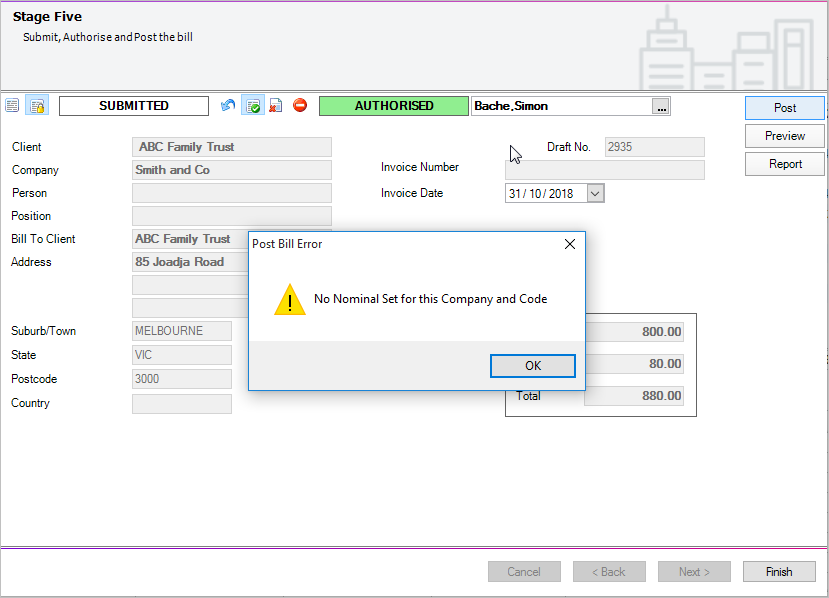
This error occurs where Nominal Codes have been removed from tasks being billed.
If you are raising a write up only within the bill, you need to raise the bill at transaction level. For example, enter the write up against specific transactions to post successfully. For more details, see Entering write ups/write offs.
To check which task codes are being billed
-
Once you see the error, click Ok and then click Finish.
-
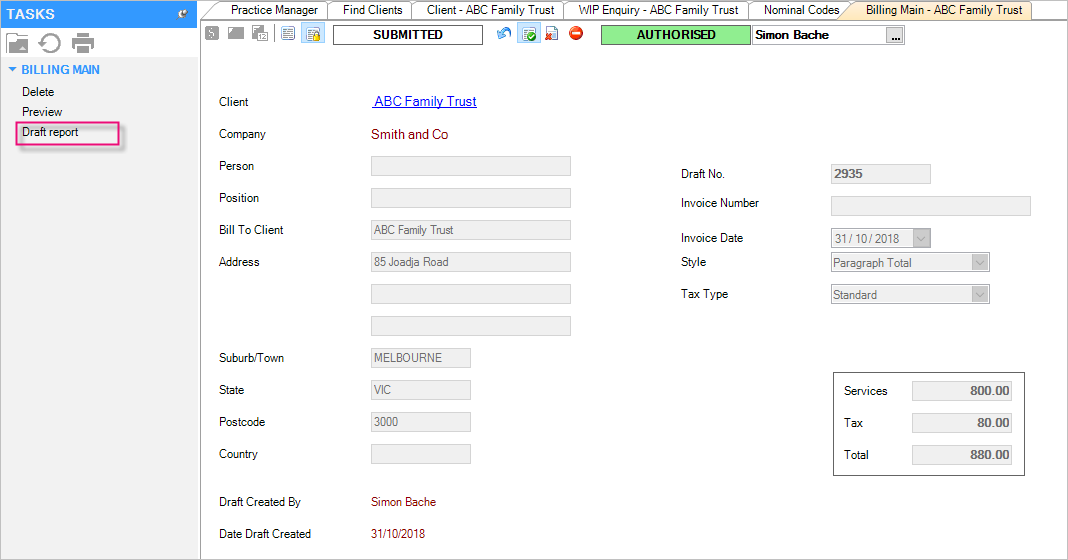
On the TASKS bar, click Draft report within the Draft Bill.
-
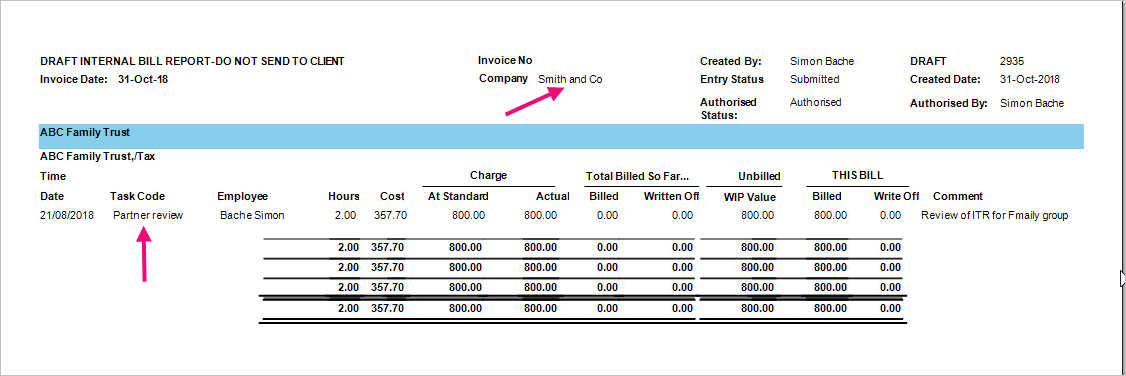
Review the report and make a note of the Task Codes that have an amount in the This Bill column.
To add a Nominal Code to a Code Type
-
Go to Maintenance > Ledger Maintenance > Nominal Codes.
The Nominal Codes window appears. -
Click the Data Entry Codes Available for Company tab.
-
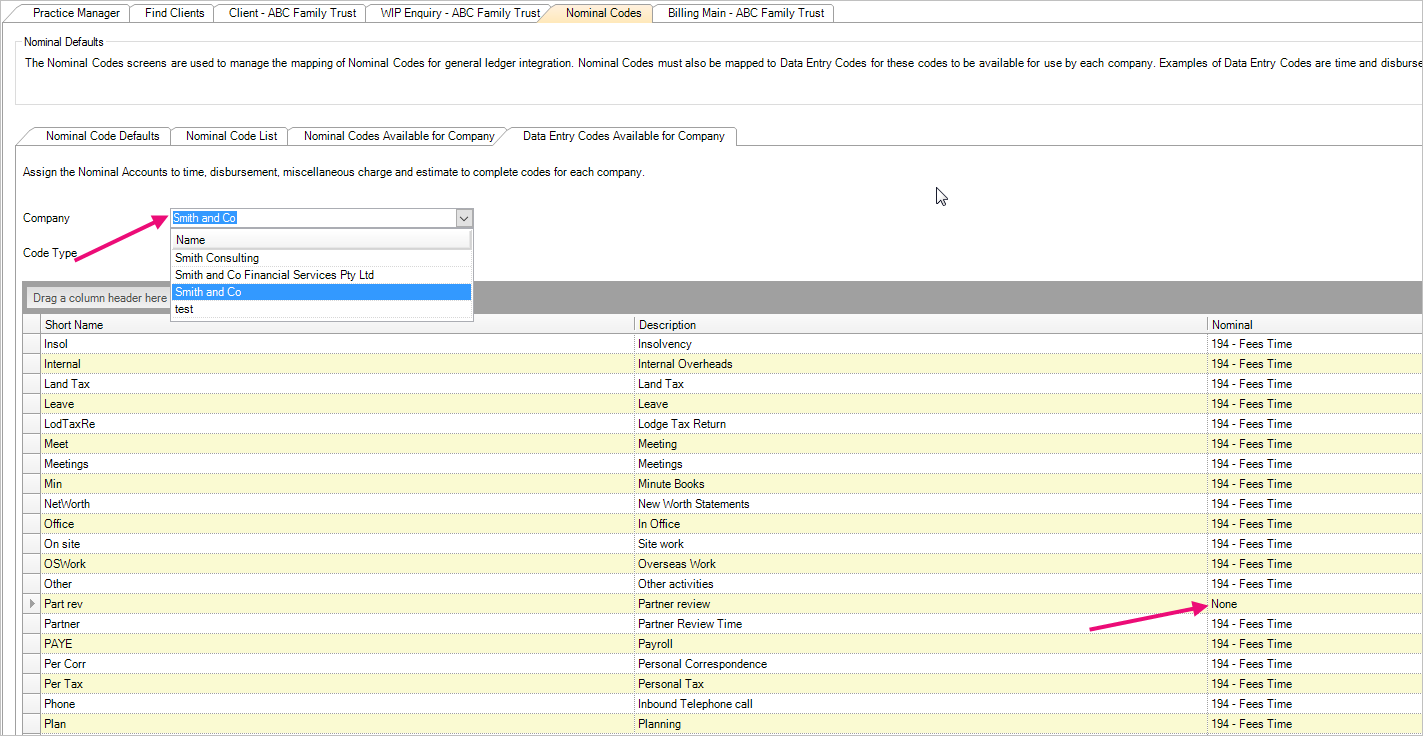
Choose the relevant company from the Company field and either:
-
choose All from the Code Type field to view all types of codes
-
choose the relevant code type from the drop-down list.
-
-
Check the Task codes noted above and select the nominal code from the drop-down list for the code type and click OK to save changes.
If None is selected as the Nominal and this code is to be billed, the error message displays when posting.