Foreign employment income Non-Payment Summary (fem)

To enter data at Item 20 Label L and D, use the Foreign pensions and annuities (fpa) worksheet.

Complete the Foreign Employment Income Non-Payment Summary (fem) to enter data at Item 20 - Foreign source income and foreign assets or property.
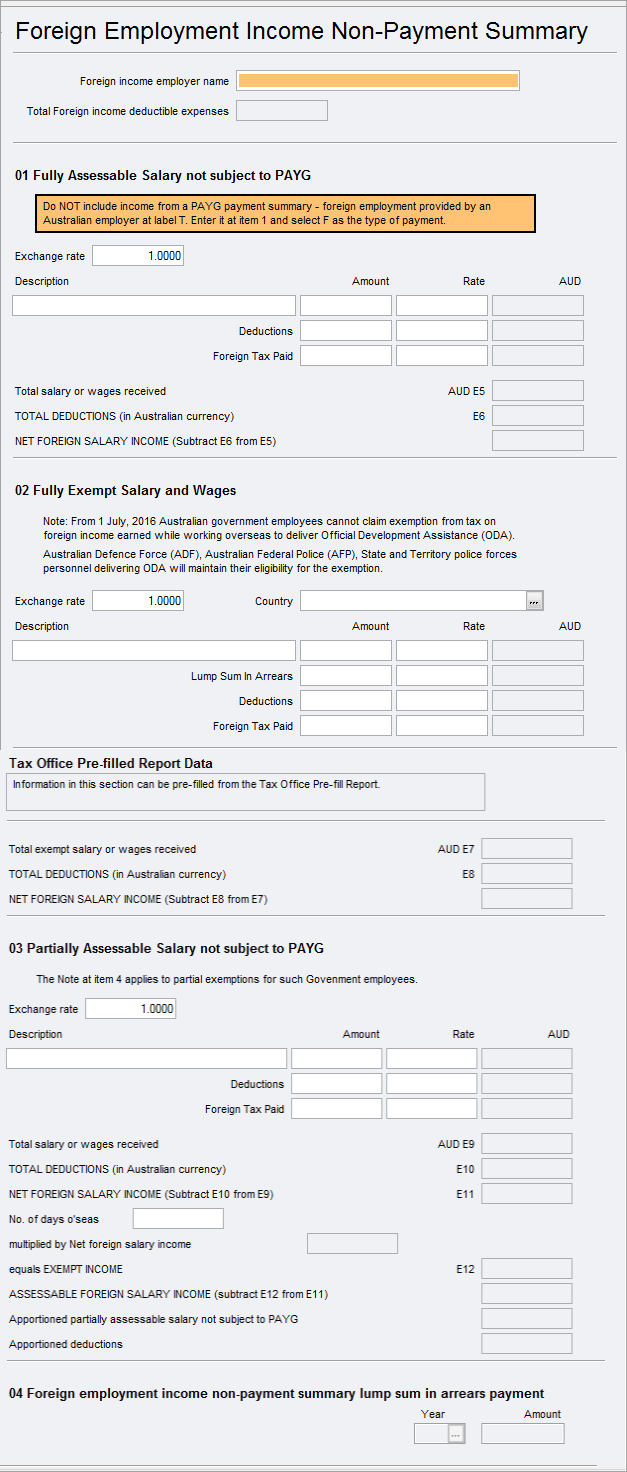

fem.png

Accessing the fem worksheet

To open the fem worksheet:

  • Click label T at Item 20 - Foreign source income and foreign assets or property.

  • Select Preparation > Schedule > Foreign employment income Non-Payment Summary

  • Go to Preparation > Schedule > Income details schedule > Enter Y at Section P - Foreign pensions and annuities.

You can use the ATO Pre-fill to download reports and check what the ATO has received from the employer. See What data pre-fills into Tax?

To enter data in the fem worksheet
  1. Open the fem worksheet.

  2. The Total Foreign income deductible expenses is a total of all the deductions entered in sections 01 and 02

  3. Enter all otherd the details

  4. If you've entered an amount in Lump sum in Arrears, it will enable the Year/Amount at section 04.