Foreign entities (fen)

Complete the Foreign entities (fen) to enter data at Item 19 - Foreign entities. This worksheet is to report details of non-resident trusts distributing the CFC/Transferor trust income.
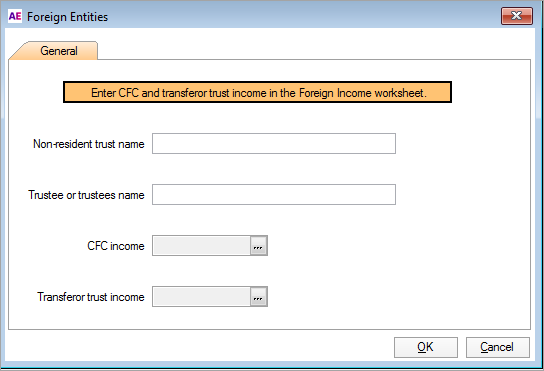

fen.png

Accessing the fen worksheet

To open the fen worksheet:

  • Click label O at item 19: Foreign entities.

  • Select Preparation > Schedule > Foreign entities.

  • Go to Preparation > Schedule > Income details schedule > Enter Y at Section O - Foreign entities.

You can use the ATO Pre-fill to download reports and check what the ATO has received from the employer. See What data pre-fills into Tax?

To enter data in the fen worksheet
  1. Open the fen worksheet.

  2. Click the ellipses at the CFC income or Transferor trust income fields to open the Foreign income window.

  3. Select Worksheet to open the Foreign income worksheet (for) to enter the transactions.

  4. Click OK and then Close.

  5. Click OK to return to the fen worksheet. The respective income field in the fen worksheet is updated.

  6. Click OK again to return to Item 19. The respective income field at Item 19 foreign entities is updated.