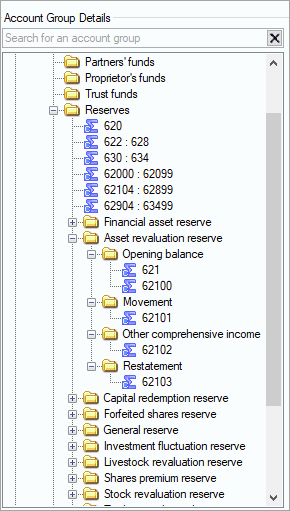
As part of the SDS changes, we've expanded the Account Group structure in the Reserves, Shareholder funds & Other folders to include a folder for every Reserve type (under Reserves) and the different Share types (shareholder funds) and for Other (any additional equity items). You'll find 4 subfolders under each Reserve type, Share type, and Other.
-
Opening balance
-
Movement
-
Other comprehensive income (not included for - Shareholders funds)
-
Restatement (not included for Shareholders funds).
You'll need to move the relevant codes into these folders for the Statement of Changes in Equity and post a journal for the opening balance account and the movement.
Posting a journal to opening balances account and movement
We've used MAS - Company chart for this example.
-
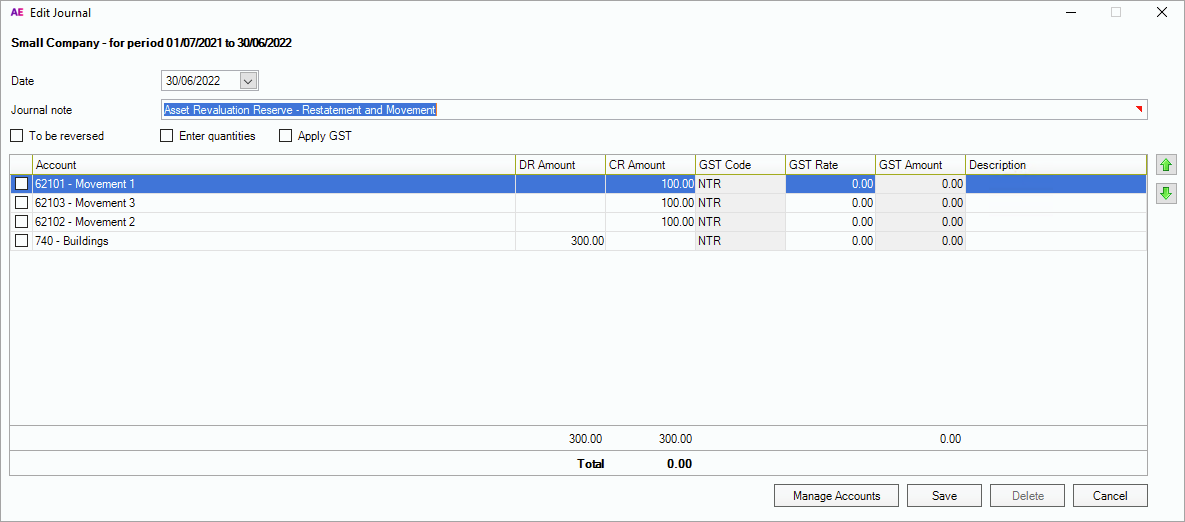
Post the journal to raise the current year movement/other comprehensive income or restatement to opening balance.
In this screenshot, we've posted all 3 in a single journal to show where the amounts will be picked up.
-
Remap the account codes to the correct Reserve folder.
-
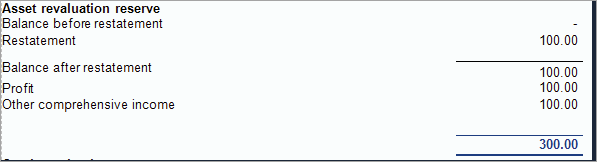
You'll see the following in the reports.