
Select Maintenance > Maintenance Map > Client accounting.
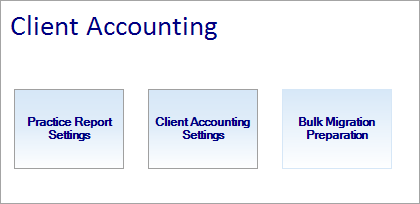
Client accounting has 3 functions.
-
Practice Report Settings
-
Client Accounting Settings
-
Bulk Migration preparation
As a pre-requisite for Tax in Practice Compliance, you'll need to enable your Assets online. Follow the steps below on how to do that.
To enable Assets online
-
Login to AE/AO
-
From the top menu, select Maintenance > Maintenance Map > Client accounting.
-
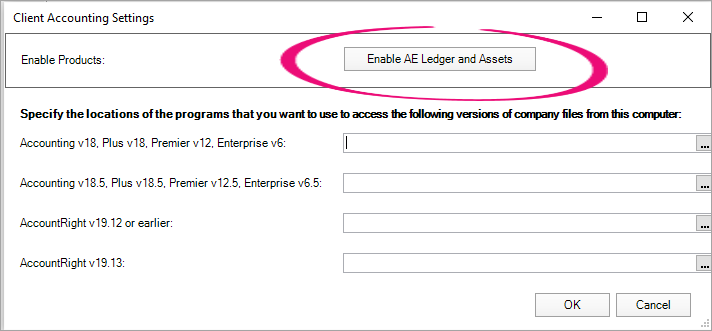
Click Client Accounting Settings.
-
In the Client Accounting Settings window, click Enable AE Ledger and Assets.
-
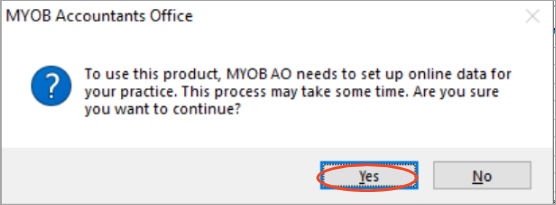
Click Yes in the MYOB Accountants Office window.
Your Assets online is now enabled.