
As well as closing on an accounting period (month), you can lock off entries at the end of each week or each fortnight. To lock the entries, you set a Timesheet Lock Date once all entries are posted for the relevant time frame.
Entries affected will include:
-
Timesheets
-
Disbursements
-
Invoices (bills)
-
Receipts
To set a timesheet lock date
-
Select Maintenance > Time Setup > Processing Time Setup. The Processing Time Setup page opens.
-
Select the Accounting Year from the drop-down.
-
Enter a Timesheet Lock Date for the accounting year. Enter a date in the format dd/mm/yyyy or select it from the drop-down calendar.
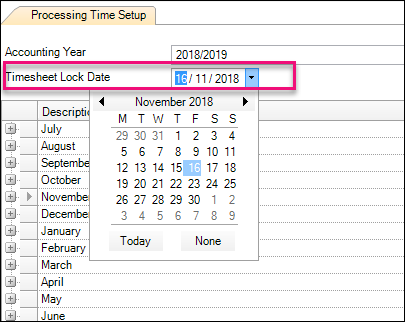
This option enforces employees to complete their timesheets by a specified date.
-
Click OK to save the changes and close the Processing Time Setup page.