
Release date—March 2026
What's included in the release
Adding Timesheets for 2026 in Accountants Office Practice Manager
You must install this version before you can add the 2026 year to your timesheets in Practice Manager.
Follow the steps to add your new accounting year and periods
NZ Investment Boost
Investment Boost is a new tax deduction for all businesses. Starting 22 May 2025, businesses can claim a 20% upfront tax deduction on qualifying new assets.
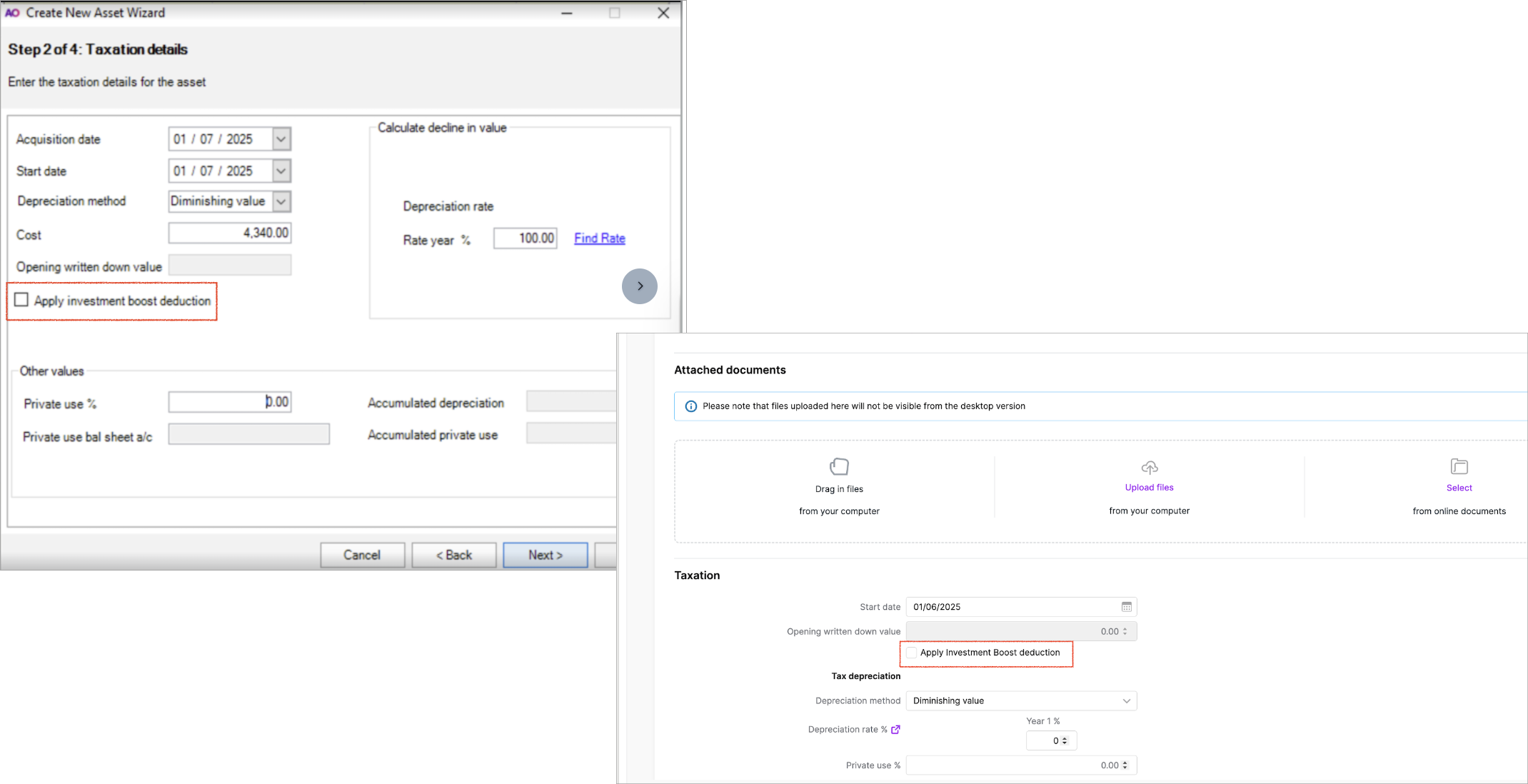
In AE/AO and Assets Live, you can now apply the investment boost for qualifying new assets by selecting Apply investment boost deduction.
Client Accounting
Statutory reporter
-
Associated loans - We’ve fixed the following issues
-
Associated loans were not always printing when the total is zero, but has movements.
-
Associated loans sometimes incorrectly print the subaccounts with a zero balance.
-
-
For the Paragraph name:
-
Accounting policies - Investments at market value to P&L, we’ve added a full stop (.) at the end.
-
Accounting policies - investments market value to reserve, we’ve changed the word loss to losses.
-
-
Changes to Charties
-
Entity information - We have added a missing colon to the following label names:
-
Governance
-
Name of entities controlled by the entity for financial reporting purposes
-
Corrected the alignment of the postcode in the Business address.
-
-
Paragraph changes - We’ve updated the following paragraphs:
-
Accounting policies - Donations and bequests
Accounting policies - Fundraising and grants -
Updated Statement of Financial Performance to statement of financial performance and Statement of financial position to statement of financial position
-
-
Compilation report - We’ve changed 3 references from Financial statements to performance report. The other 2 references have not changed in the following paragraphs:
-
Paragraph = Compilation Report - Scope - General Purpose
-
Paragraph = Compilation Report - Responsibilities
-
Paragraph = Compilation Report - No Audit or Review
-
-
Workpapers
Tax integration (IR10) - New keypoint 60 for Total of investment boost assets being claimed
You can either:
-
Enter the amount manually on the Tax integration (IR10) workpaper under Other information, or
-
Apply an account code range to the new chart map folder called 60 Total of investment boost assets being claimed.
To do this at the Practice or Client level:-
Go to Maintenance > Client Accounting > Practice Report Settings
-
From the Task bar, select Tax Account Groups
-
Expand Other information and click on 60 Total of investment boost assets being claimed.
-
On the bottom right of the screen, click the down arrow at Display account codes and select Display account ranges
-
Enter a Starting code and Ending code and select OK.
-
Motor vehicle - private use
-
We’ve included a new workpaper for private use of motor vehicles.
AccountRight v19 End Of Life
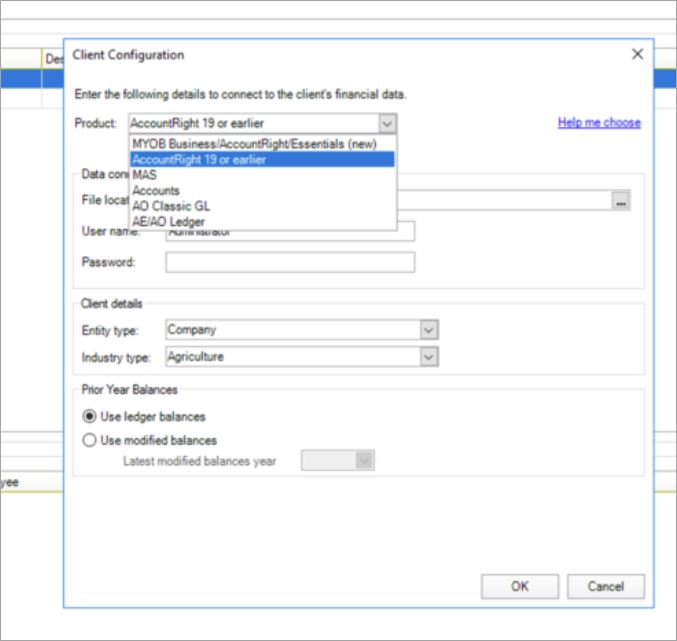
MYOB AccountRight Classic v19 is discontinued from 28 February 2026.
You can no longer configure AccountRight v19 ledger in Client Accounting.
Bug fixes
-
Error: Could not load workpapers. Reason : Plugin Loader exception. Some plugins are failed to load, plase check .. . This error occurred when you clicked the Maintain Control Group (within Assets) window. This is now fixed.
-
Error: MYOB Assets Common. Helpers. InvalidResponseCodeException Not Found. This error occurred when deleting a client. This is now fixed.
Practice Manager and Job Manager
Practice Manager
Accountants Office only
You can add your new accounting year and periods before the start of the new financial year in Accountants Office. This lets you enter your timesheets and bills for the new financial year.
You can add only one year from the current year.
Job Manager
You can now add an accounting year for a client using the Job Sheet homepage in Accountants Office.
You can add up to 3 years from the current year.