This support note applies to:
-
Statutory reporter (NZ)
-
Workpapers (NZ)
If you have associated loans, make sure you’ve set it up correctly so it always prints when the total is zero, but there are account movements, and when there are subaccounts with zero balance.
To set up the associated loans
Make sure the
-
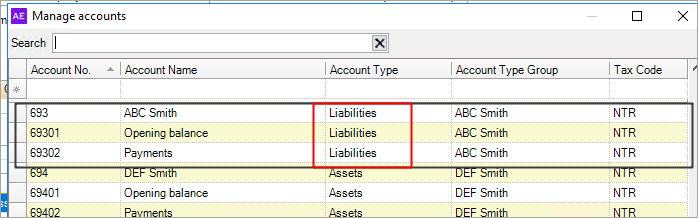
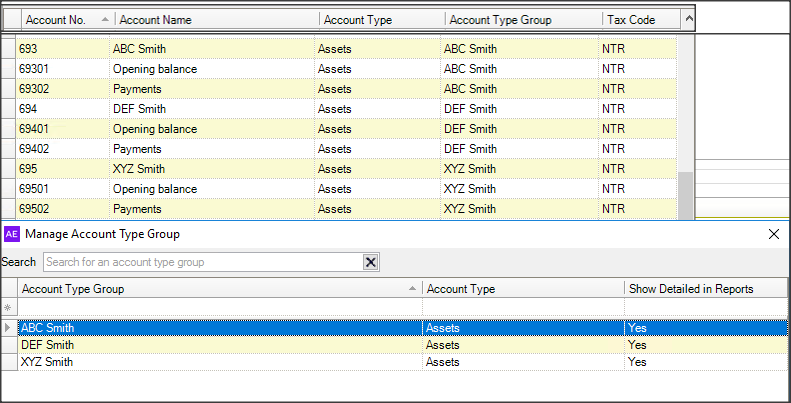
Account codes and the Account type groups are set to Assets in the Account type.
-
Show Detailed in Reports is set to Yes.
For the Associated loan note (as shown below), if you have a loan that was an asset last year and a liability this year, then the comparatives will print under the Assets heading, and the current year will print under the Liabilities heading.
If you have an issue with the current year amounts not displaying under Liabilities, then go back into Manage Accounts > Account and on the note, the total asset and total liability will tie back to totals for Associated loans on the Balance Sheet.
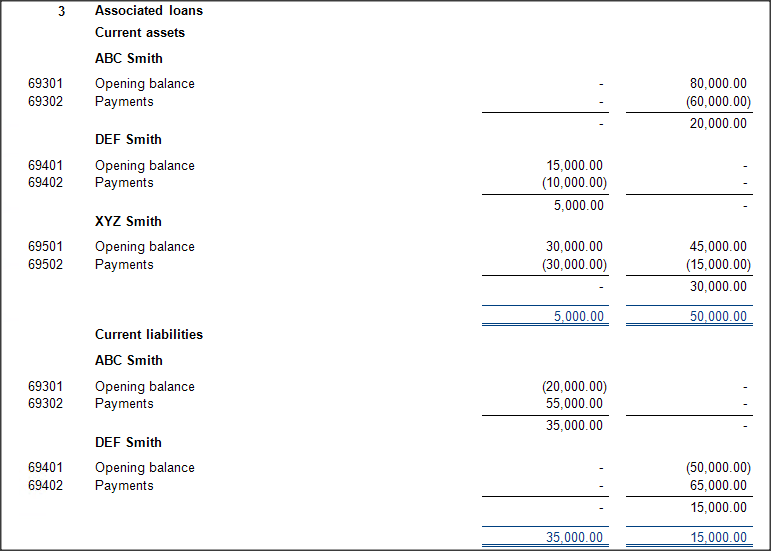
If you have an issue with the account balances not showing in the current year, where last year it had a DR balance and this year a CR balance, then follow the steps below
-
In Manage Accounts, select Manage Account Type Group, and create a duplicate entry for the loan name and select the Liabilities in Account Type.
You should now have 2 identical entries, one set to Assets and the other to Liabilities.
-
Go to the account codes for the above loan, and reassign the accounts from Assets to Liabilities.