MYOB AE/AO release notes—2024.1 (New Zealand)
Release date—October 2024
We’ve included client accounting fixes in this release.
Client accounting
The Other Liabilities note was showing the heading 'Current' when there were no balances. This is now fixed
Summarised Income Statement
When Income Tax had a balance, it was not printing the description Net Profit before Income Tax. This is now fixedAssociated loans - MAS chart only : The Associated Loans were displayed in the Balance Sheet as well as the Associated Loans note.
We have made the following changes:(For MAS charts only): In the Master Account Group mapping for Associated loans, under Current Assets and Current Liabilities, the swinging account settings have been changed from Individual account balances to Header account balances.
In the Balance sheet, to make sure the Associated Loans work correctly, go to Manage Accounts and set up an Account Type Group for each Associated Loan. Choose Yes for the 'Show Detailed in Reports option. After that, assign the relevant Account Type Group to each Associated Loan account code.
Minutes: When changing the left-hand page margins to 2.50 or higher, some 'amounts' were truncated. This is now fixed
Departmental Income Statement: The Closing Stock balance was printed without brackets. This is now fixed.
Changes to user access management
If you untick Inactive to activate back an employee, they will automatically get access to MYOB Practice.
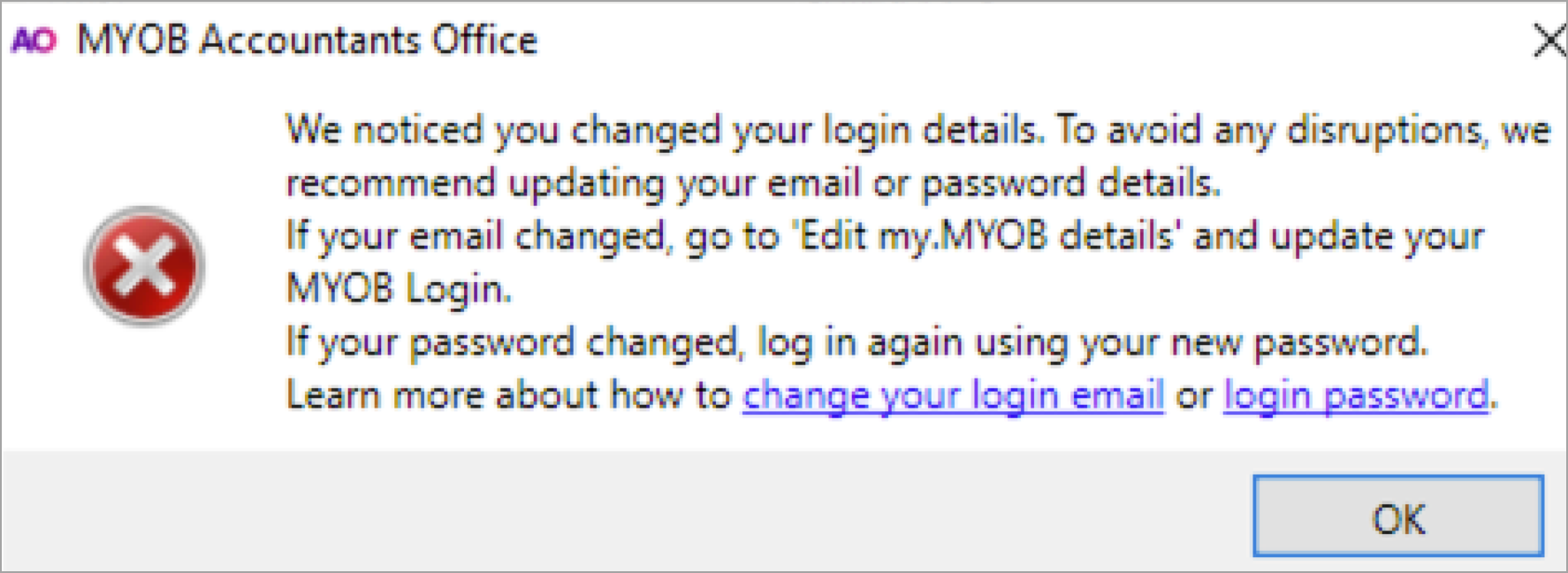
If you’ve updated an email address for a user in my.myob, you’ll now be prompted to update the same in AE/AO. Learn how to update an email address in AE/AO.
If a user is trying to access a MYOB Business or AccountRight file that they don't have access to has been deleted, you’ll see the following message:
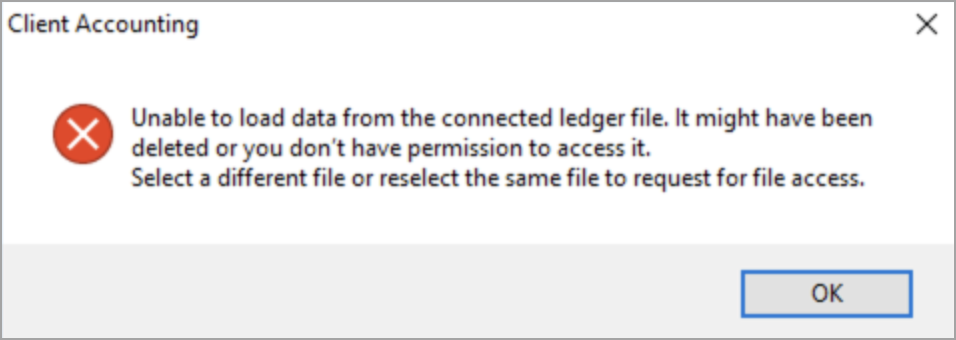
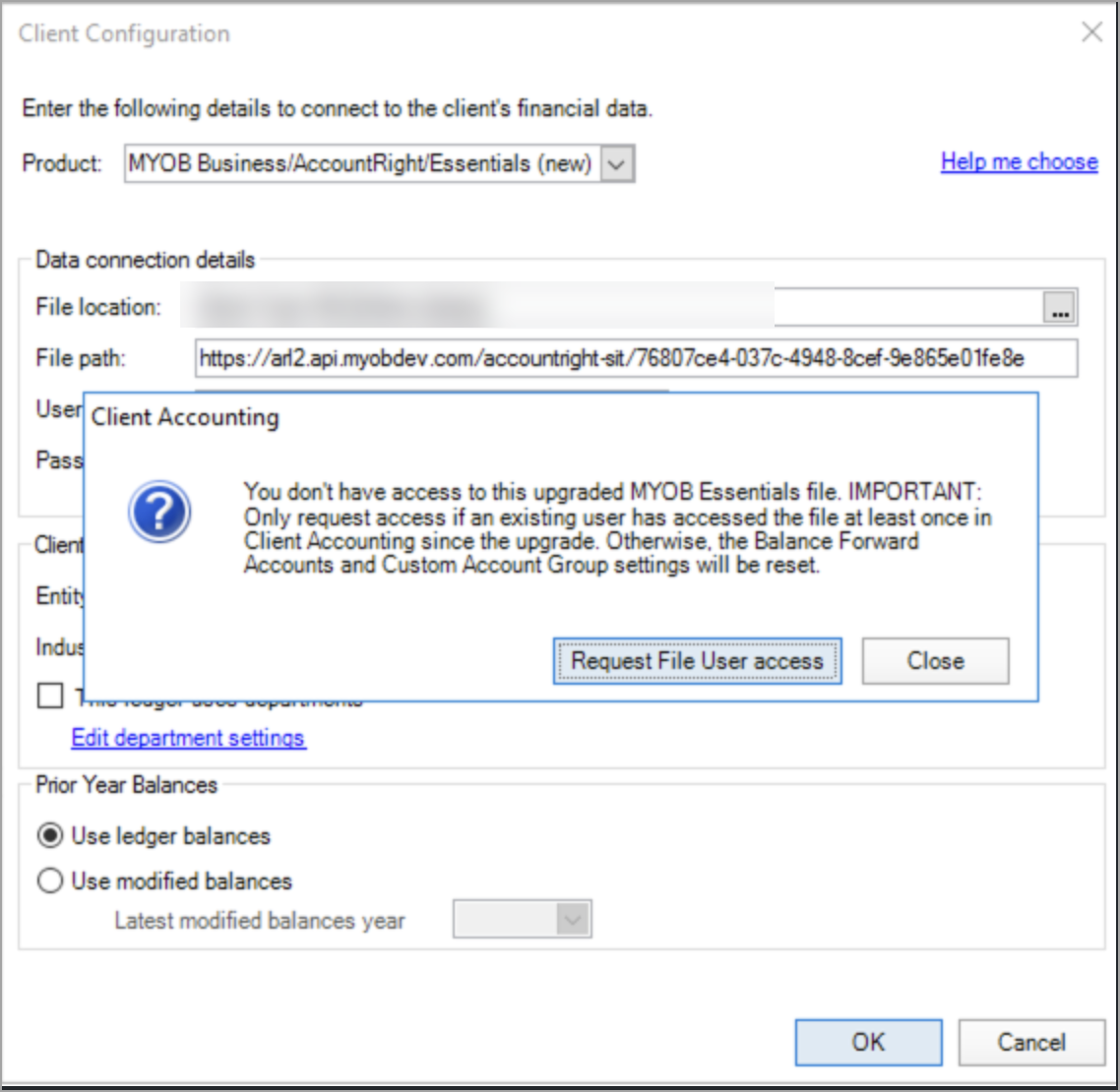
When you click OK, you can either Request access for that file or change the file in the file path to a different file (if the file has been deleted).