
To produce a report
-
After producing a report, click Print to open the Print dialog.
-
Select the Print to file checkbox to enable the Where field.
-
Click the ellipsis

-
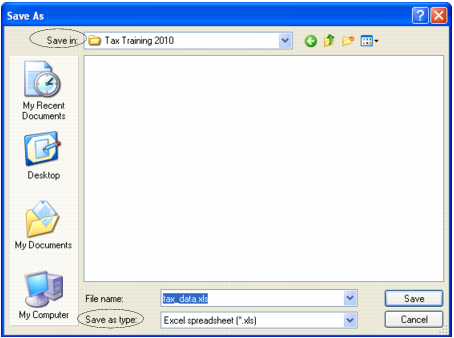
At the Save in field navigate to the location where the file will be stored.
-
Type the name to best describe your file.
-
At the Save as type field choose from the list of file types. For example, your report can be converted to and saved as:
-
Text (.txt)
-
Word (.doc)
-
Spreadsheet (.xls)
-
Portable document format (.pdf)
-
-
Click Save to save the document and reopen the Print dialog.
-
Click Print to save the report in the selected format and location.