
MYOB Ledger only
Transactions can be imported into Client Accounting using the Manage client file imports wizard. You can find this function on the Tasks bar of your client's Client Accounting > Trial Balance (or Workpapers) tab.
You can only import transactions via Client Accounting if your configured ledger is an MYOB Ledger. If you're using something different, you can still use the import functions in your configured ledger's software.
We'll guide you through importing transactions using the QuickBooks 2014 Template.
Whilst we can tell you about our MYOB Software, we're not experts with QuickBooks.
If you need help with QuickBooks, the QuickBooks product help should answer your questions.
Generating a CSV
In the first stage of the Manage client file imports wizard. you'll need to select the QuickBooks 2014 Template. This template is based on the output of the Transaction list by Date (Windows) and Transaction Detail by Date (Mac) report with account codes and without headers or footers.
Importing your data
Stage 1: Choose a file to import
-
From AE/AO, open the client and go to the Client Accounting > Trial Balance (Workpapers) tab.
-
On the TASKS bar, click Manage client file imports. The Manage Client File Imports window appears.

-
Select .CSV .
-
At the Select file to import field, click the ellipses (

-
Highlight the file and click Open. The file path appears in the Select file to import field.
-
At the Select template field, click on the drop-down menu and choose QuickBooks 2014.
-
Click Next.
Stage 2: Choose how to map accounts
-
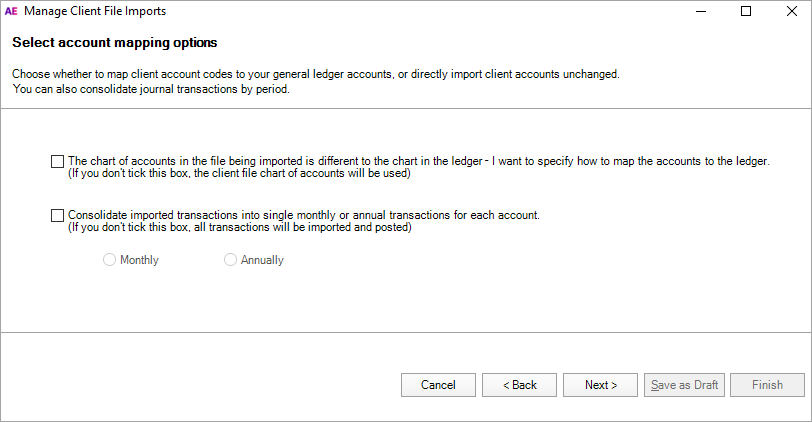
Choose whether you want to map your client's account codes to your ledger's accounts, or to import your client's accounts:
Option
Description
The chart of accounts in the file being imported is different to the chart in the ledger – I want to specify how to map the accounts to the ledger
If the chart of accounts in the export file is the same as your chart of accounts, you can choose whether to select this option.
When this option is not selected, all transactions import with the account code from the export file. Any accounts that don't exist in your chart are automatically added.
If your chart of accounts is different from the chart in the export file, select this option. This will let you map the exported accounts to your ledger accounts.
Consolidate imported transactions into single monthly or annual transactions for each account
Consolidates transactions into a single monthly or annual transaction for each account. To import all transactions, leave this checkbox unticked.
Only imported transactions can be viewed. If you choose to import consolidated transactions, you'll only be able to view one imported transaction per month or year (as selected).
You can import up to 38,000 transactions. If you have more than this, select this checkbox to consolidate your transactions or alternatively, separate the CSV file into multiple files.
If you've selected this checkbox, select to import either:
-
Monthly – imports one transaction per month for each account
-
Annually – imports one transaction per year for each account.
-
-
Click Next.
If you've selected the first option, continue to Map Accounts. Otherwise, continue to Stage 4.
Stage 3: Map the accounts
-
In the Map Accounts window, click in the Map to column for each account and choose an account to import your client's transactions to.
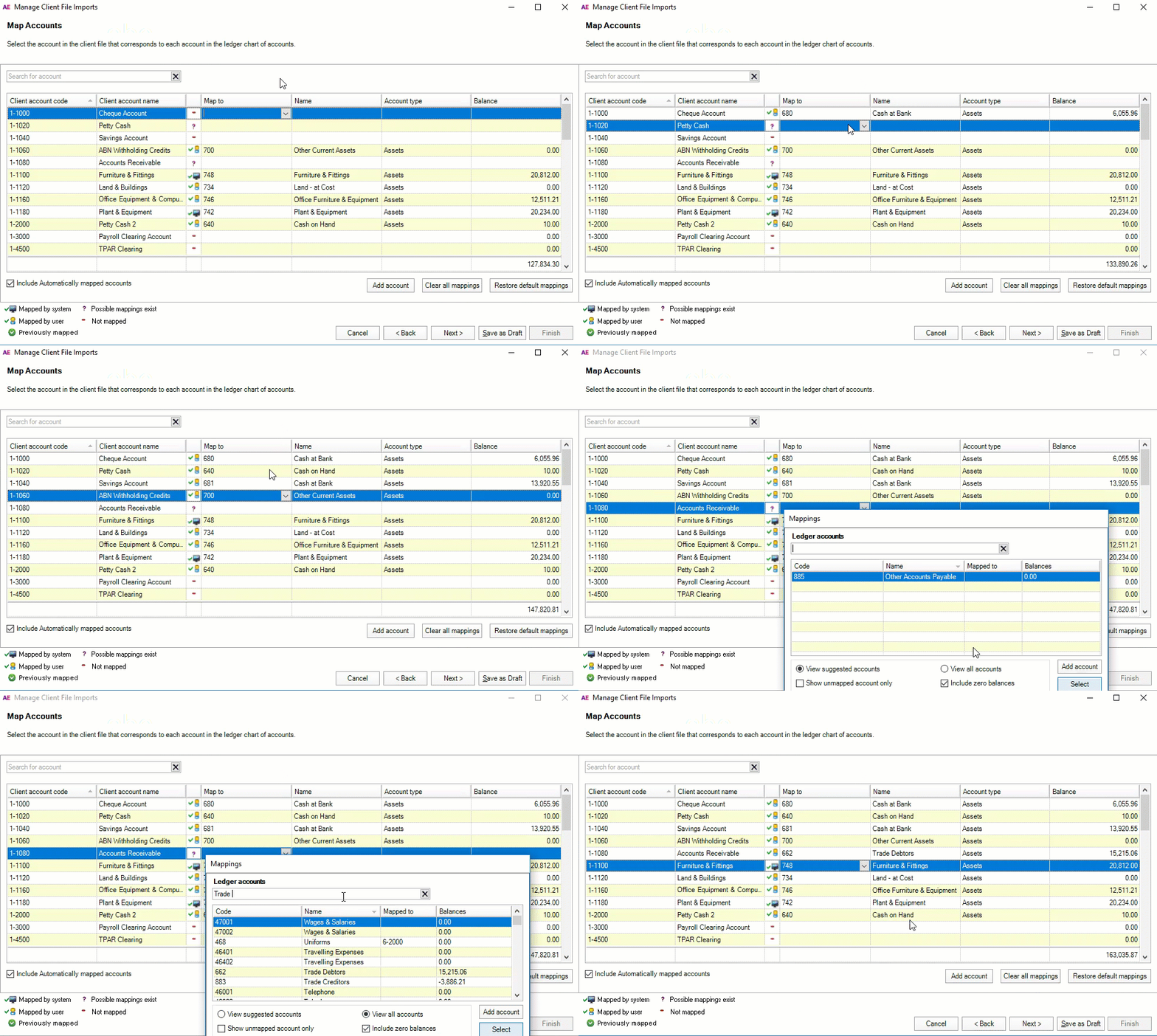
The Account name, Account type and Balance are updated automatically. Repeat this step for each account code.
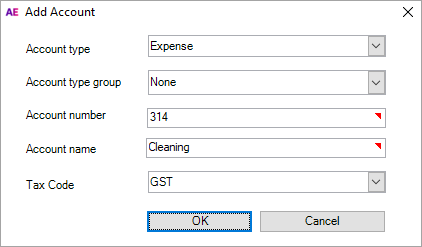
Can't find the account you're looking for? You may need to create a new one. Click Add account and fill in the details.
-
Once all accounts have been mapped, click Next.