
The superannuation co-contributions worksheet is made up of a series of worksheets that feed into a summary worksheet. It is the summary worksheet that integrates calculated values to the labels F, G and H at A3.
These amounts when added to income earned from Salary or wages and sole trader income are used by the ATO in deciding your eligibility for the Government super contribution.
Click label F to open the worksheet. The worksheet opens at the Summary worksheet E.
The blank summary worksheet E
All totals are collected in the Summary worksheet and from the here to the labels in the income tax return.
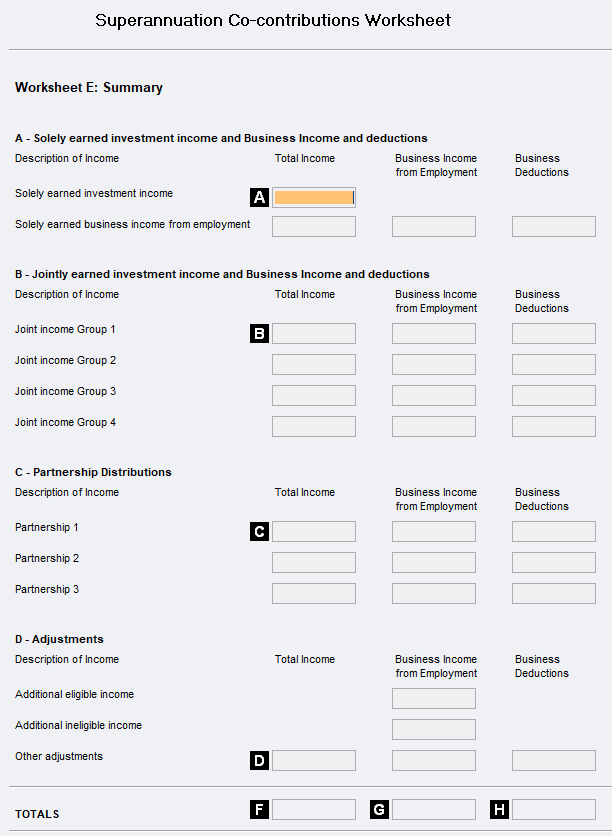
Worksheet A example
Dissecting the income and deductions
Clicking label A will open the following worksheet to which balances from items entered in the tax return have been defaulted in the first column.
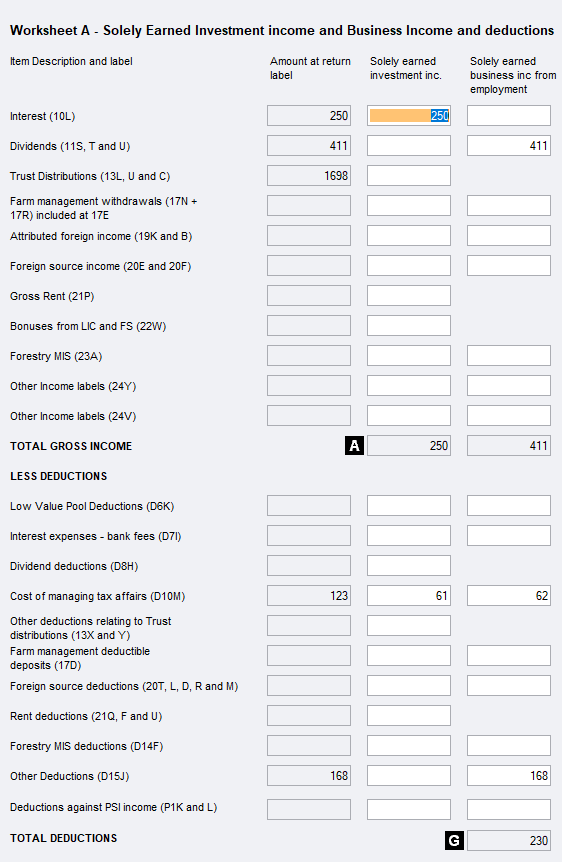
As shown in the screenshot, you dissect the amount in the Amount at return label column into the other columns as appropriate. The example shows that there is both solely earned investment and jointly owned investment income.
Income at the top and expenses underneath. When you close the Worksheet A, we'll work out which amounts go at which of the A3 labels F, G and H.
If the amount at label H calculates to a negative value, you'd need to an adjustment in worksheet D.
Where there is no field in a column for certain items, it is because that income or expense type is not relevant to the income or expense type.
Complete Worksheets B, C and D as required. We've only completed Worksheet A as an example.
When you close the worksheet, the cursor moves to the Worksheet E - Summary.
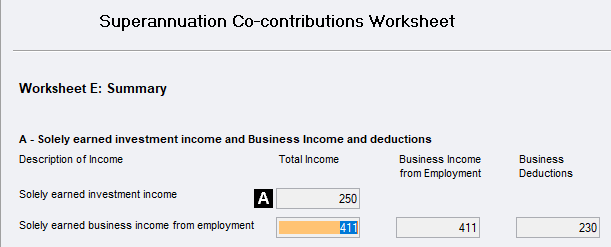
This process is the same for worksheets B, C and D.