
Not available in Series 6 & 8
A wizard is available on the Tax Returns tab to help you create activity statements.
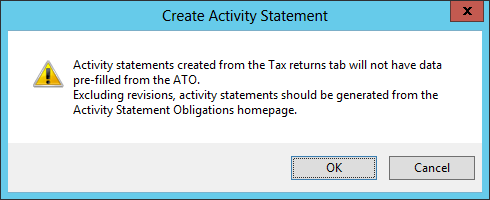
Create an activity statement for PLS in the Activity Statement Obligations homepage. This will enable you to pre-fill data from the ATO.
Statements created from the tax returns tab will not have the data pre-filled and can't be pre-lodged from the Activity Statement Obligation homepage.
Use the Create Activity Statement wizard in the tax returns tab to create revisions.
If the client doesn't have an income tax return for the lodging tax year selected, a return will be created.
If you've installed version 2018.1 or later and want to create an activity statement for a new client, see the Activity statement obligations homepage (ASO) 2023 for instructions.
(Accountants Enterprise) If a return exists for a client, but the return code doesn't match the client code, you must create the activity statement by opening the income tax return and selecting the activity statement from Preparation > Schedules.
Warning: The Create Activity Stmt wizard will create a new tax return if the tax return code doesn't match the client code.
To create an activity statement
-
Select Create Activity Stmt from the Tasks bar. Click OK.
-
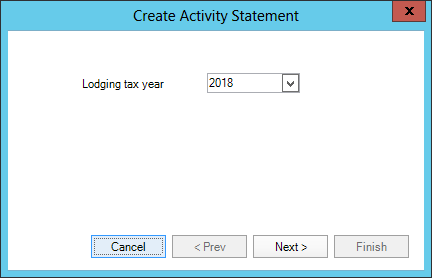
Select Lodging tax year from the drop-down and click Next.
The earliest year you can select is 2017.
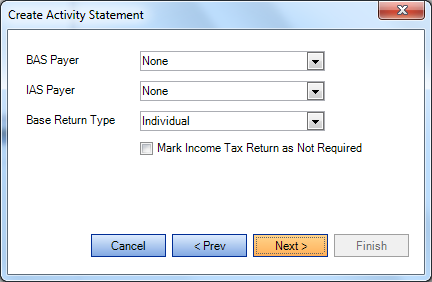
If the client does not have an income tax return for the lodging year selected, the following screen displays:
-
Select the relevant BAS Payer, IAS Payer and Base Return Type from the drop-downs. The selections for BAS Payer and IAS Payer will update fields in the Return Properties > General tab.
-
Select Mark Income Tax Return as Not Required if the base tax return will not be lodged.
This will save Return required to "T – Not this year" in the Return Properties > Lodgment tab. The base return will appear in the Tax Returns tab for the client only. -
Click Next.
The final Create Activity Statement screen displays.
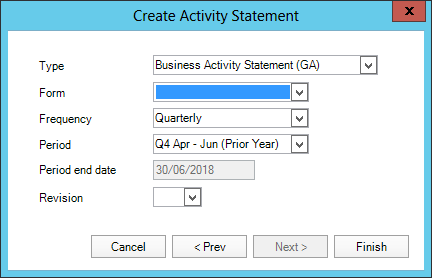
Type and Frequency are derived from the BAS Payer and IAS Payer settings on the main tax return, or from the selections on the previous screen for statement created without an existing return.
If no values are set for the BAS Payer or IAS Payer, the wizard defaults to quarterly BAS.
If a BAS exists for the lodging tax year selected, the wizard takes the period from that BAS and defaults the next period in this screen. -
Select Type, Frequency and Period as required.
Revision defaults to blank if a statement does not exist for the period. If you select a period which already has an activity statement, the revision will increment by 1.
-
Click Finish.
The activity statement opens.