
To add a new category
-
In AE/AO, you can either:
-
In the toolbar, click the Documents drop-down and choose Intranet. The Intranet window opens. Login and from the menu, select Administration or
-
From the menu bar, go to Maintenance > Maintenance Map > Documents > Intranet Administration.
-
-
Highlight the Intranet heading at the top of the left-hand pane to add a new top level category or select an existing category to create a sub-category.
-
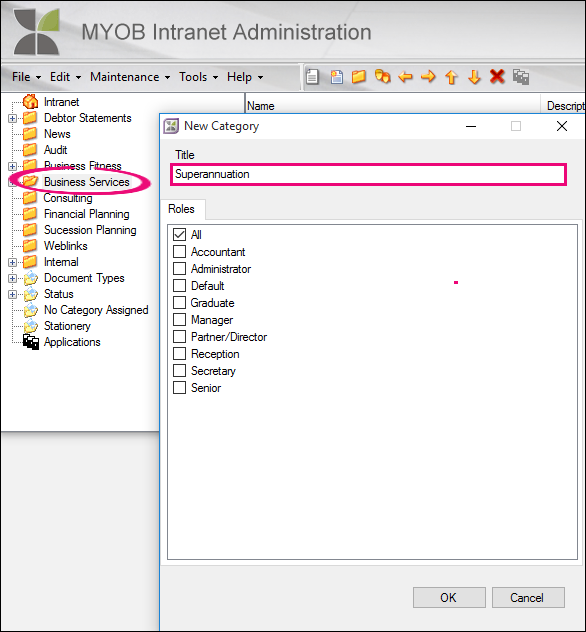
Select File > New Category or right-click the Intranet heading or an existing category and select New Category. The New Category window opens.
-
In Title, enter a new category title (maximum of 30 characters). This is the description that users will see in the MYOB Intranet left-hand menu Categories.
-
Under Roles, select the checkboxes of the roles you want to be able to view and use this category.
-
Click OK. The new category is saved and added to the MYOB Intranet Administration left-hand pane.