
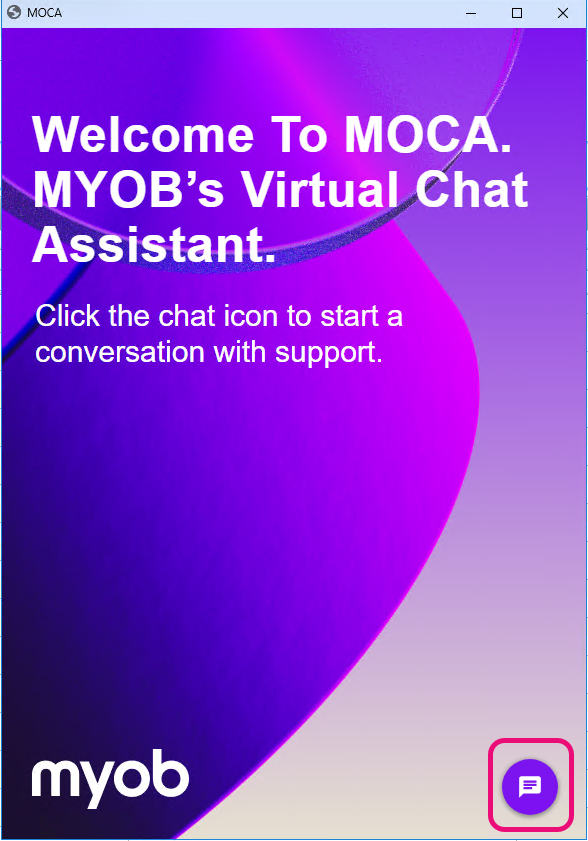
Our virtual chat assistant will help you find the answers you need quickly. MOCA is available 24/7, so you can get the support whenever you need it.
What can MOCA help with?
We’re implementing MOCA for AU tax queries only for now. For help with other products, contact our team.
You can also access MOCA from our help pages:
 A few tips on using MOCA
-
When you click Chat with MOCA, it will take a few seconds to load.
-
You can move MOCA anywhere within the tax window and resize it if you want.
-
We recommend Chrome or Edge as a default browser for a best MOCA experience.
How to chat with MOCA in AE/AO 🗨️
You can chat with MOCA from various windows in AE/AO without having to leave the product for an answer.
Whether you're preparing, validating, or lodging your tax return with the ATO, MOCA can help resolve common queries.
While you are in AE/AO, MOCA is designed to give you answers relevant to the window you are in. If MOCA can’t find an answer, you’ll be connected to one of our team members for a live chat session.
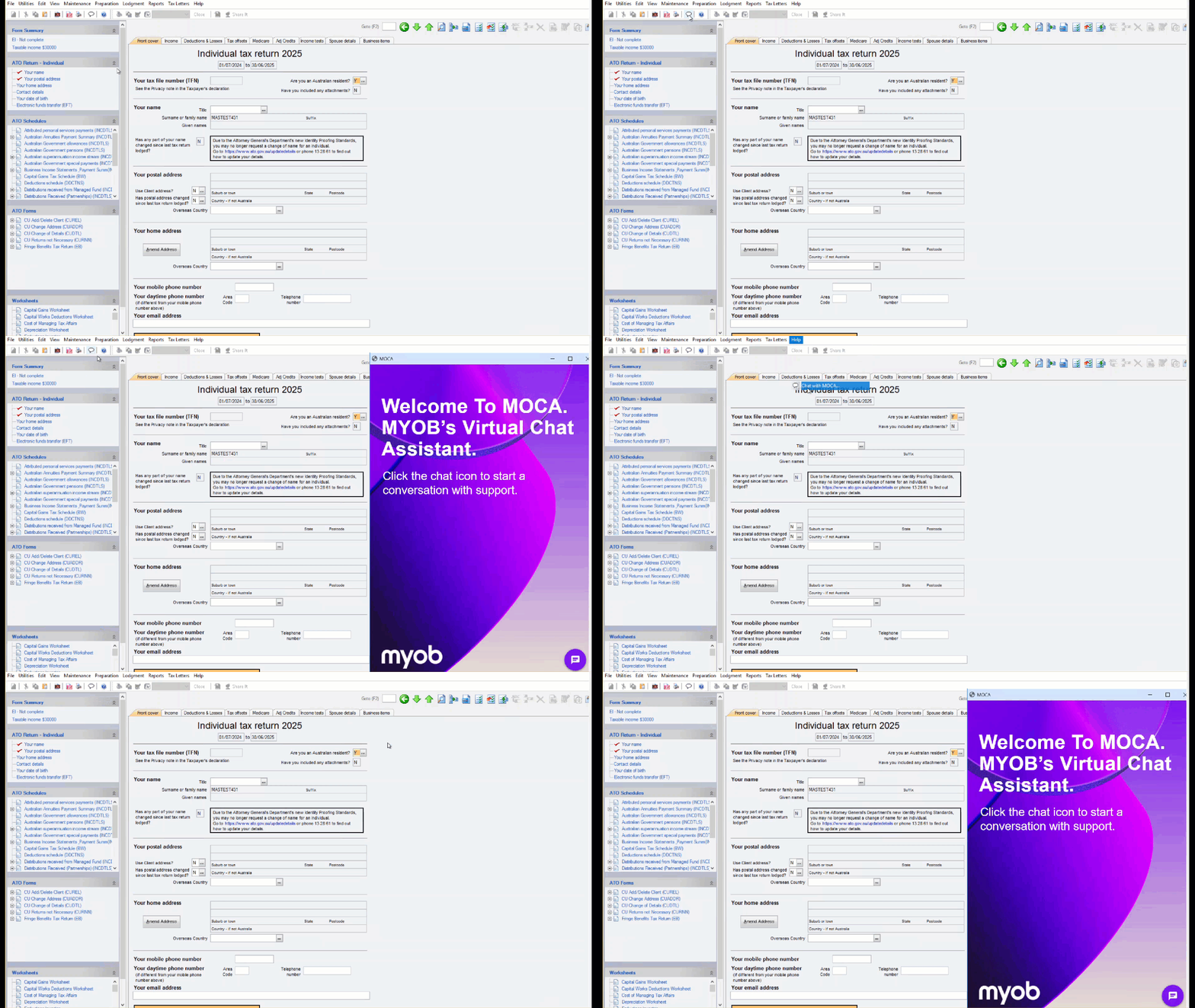
When preparing a tax return
Click the little chat bubble on top of the tax return or select Chat with MOCA from the Help menu to start a chat with MOCA.
Find answers in MOCA for common tax queries.
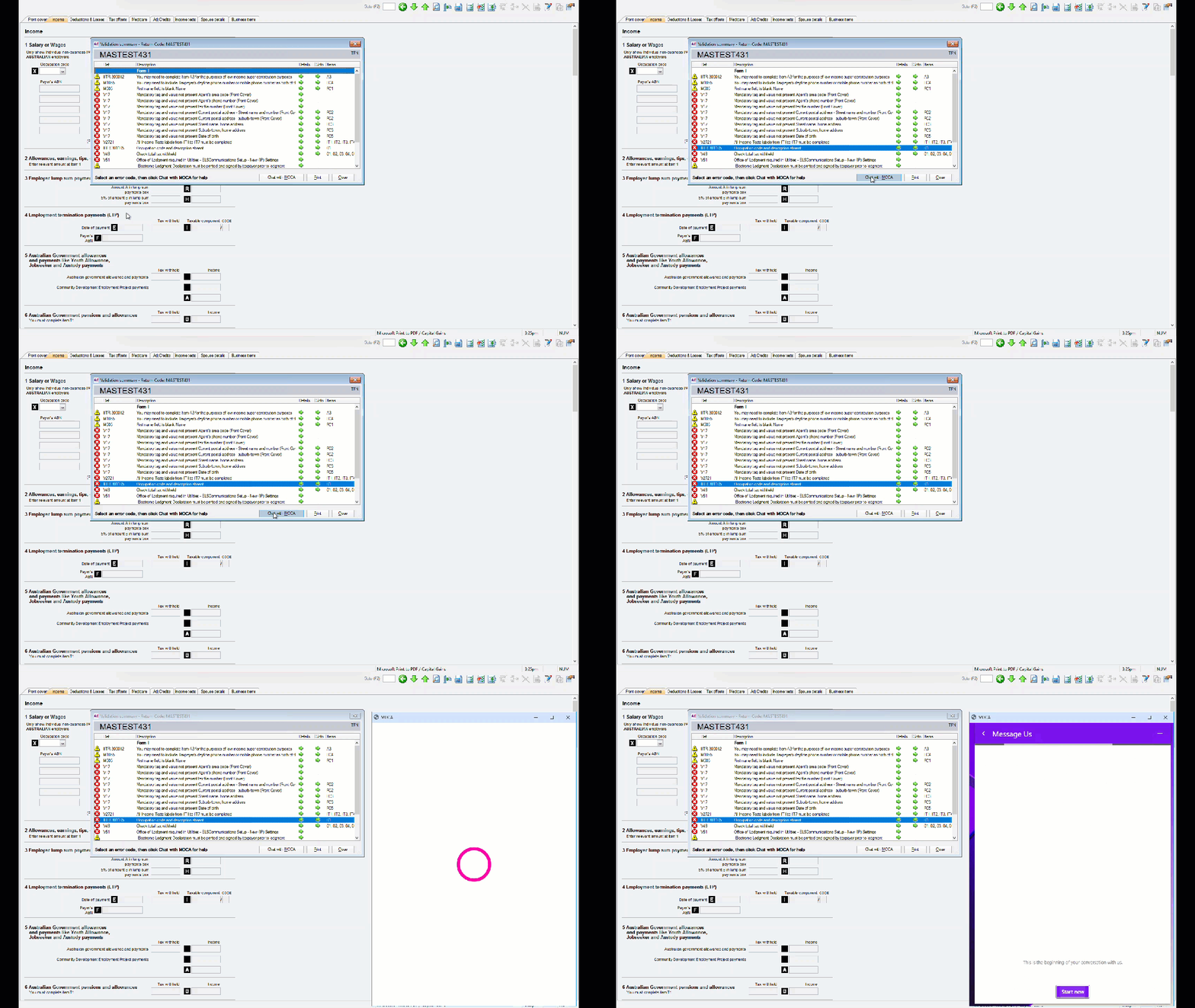
When validating a tax return
If you need help fixing a validation error, click the error to highlight and select Chat with MOCA.
Enter the validation error details in MOCA, and it will look for an answer for you.
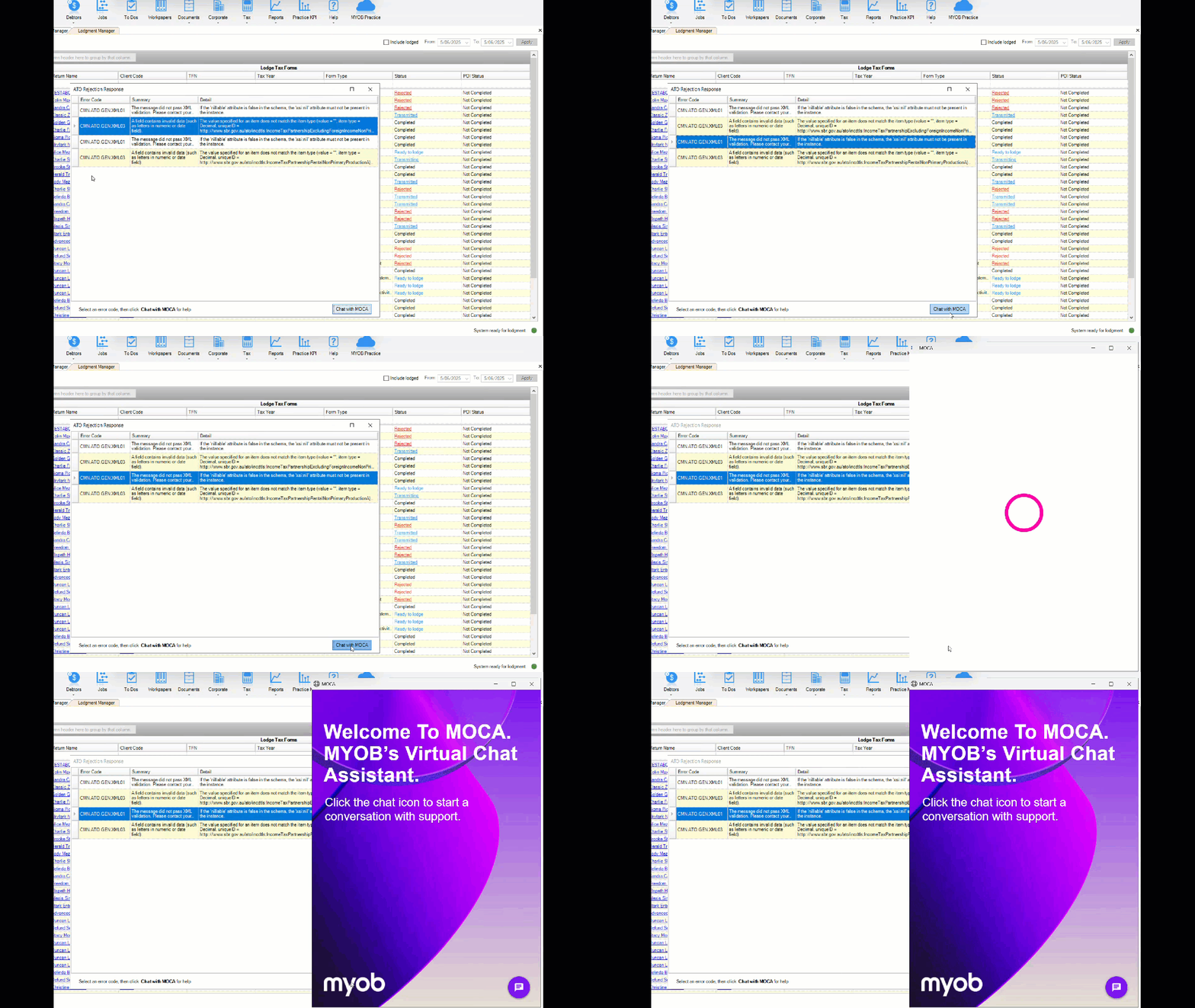
When lodging a tax return (Lodgment Manager)
You can get MOCA help when a return is rejected or stuck on transmitting or transmitted.
-
Click the Rejected or Transmitted status.
-
Select the error in the window and select Chat with MOCA.
In the Tax-client window
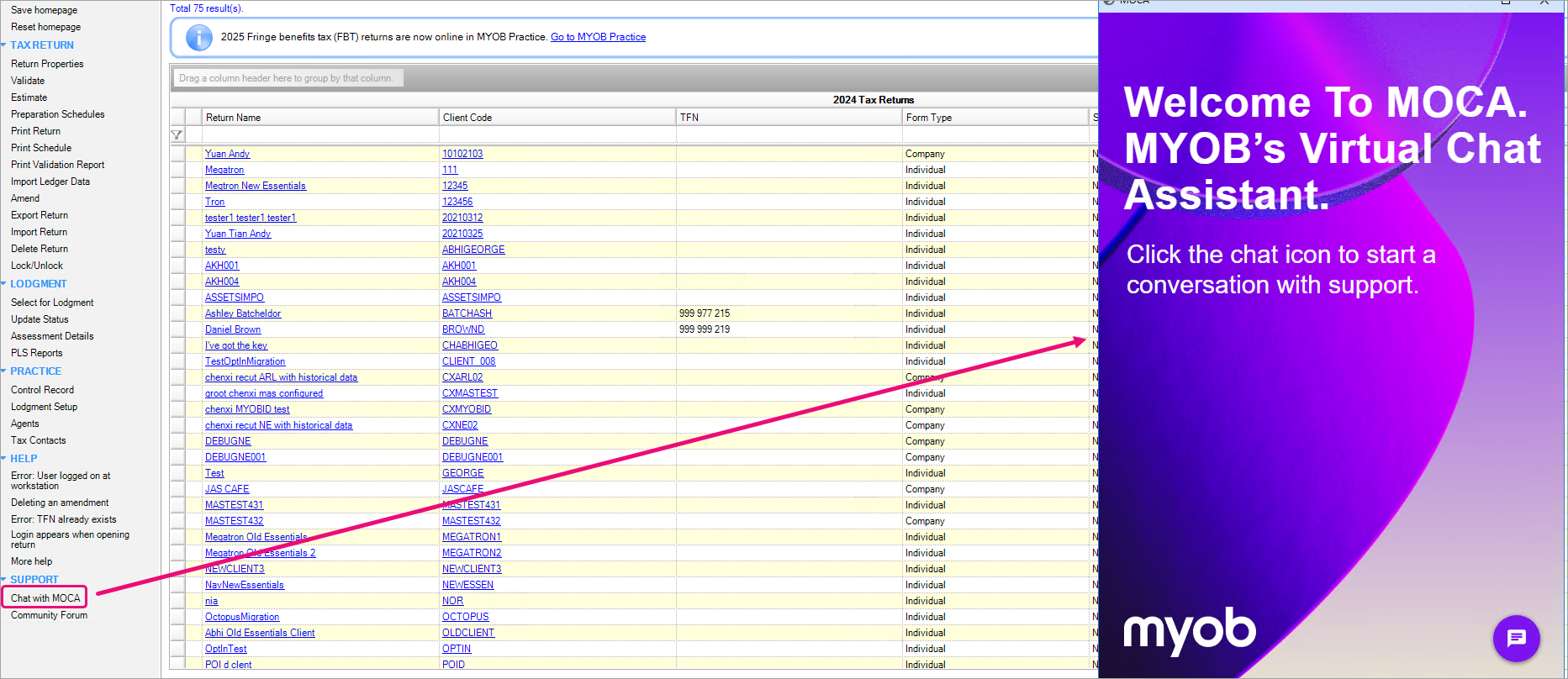
You can ask for help from MOCA from the tax client window for common issues and errors.
On the left side task bar, go to Support > and select Chat with MOCA.
Troubleshooting MOCA
There may be some instances where MOCA might not work. If you see any errors that are listed below, try the fixes provided
-
Unable to locate the MOCA application. Try again in a few minutes or click here to know more.
This error means that the MOCA.exe file has not been installed correctly.-
Go to C:\Program Files (x86)\MYOB\MYOBACCT\MOCA or C:\Program Files (x86)\MYOB\Central\MOCA
-
Check whether the MOCA.exe exists.
-
If it exists, double click and confirm if MOCA opens.
-
If MOCA doesn't open or you cant find MOCA.exe, contact support.
-
-
-
An unexpected error has occurred. Try again in a few minutes or click here to know more.
-
Try again in a few minutes. If the issue can’t be resolved, contact support.
-