
This support note applies to:
-
Accountants Enterprise
-
Accountants Office
We’re rolling out a new registration experience. This information only applies if we’ve contacted you to let you know these changes are available.
You need your product serial number to generate a licence code that you can use to register your MYOB AE/AO product.
Get your serial number
Open the Registration program, add your products and click Register.
Full registration process
-
Get your serial number.
-
Use the serial number to generate a licence registration code.
-
Use the licence registration code to register your product.
1. Get your serial number
-
Search your computer for the program called Registration and open it.
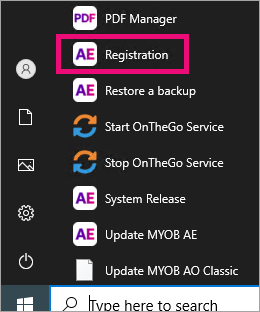
The Register MYOB Products window appears.
-
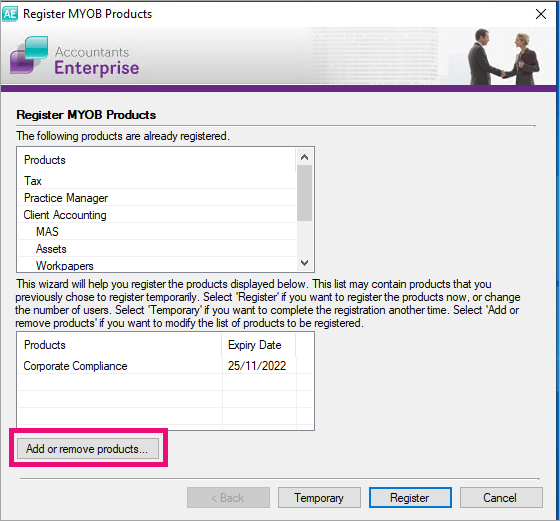
Click Add or remove products, select the products you want to register and click OK.
-
Click Register.
-
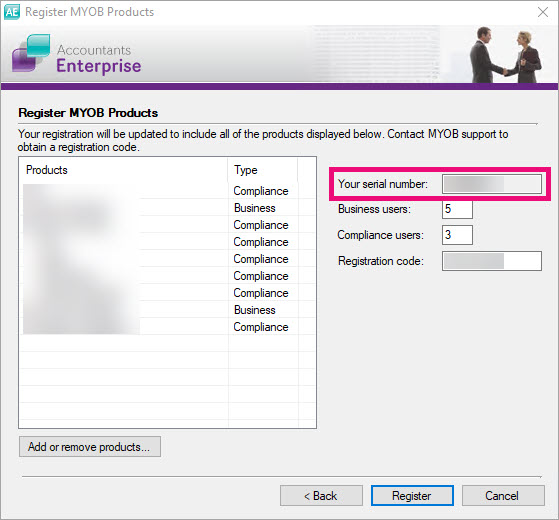
Copy down the serial number that's in the Your serial number field.
3. Use your serial number to generate a licence code in My Account:
-
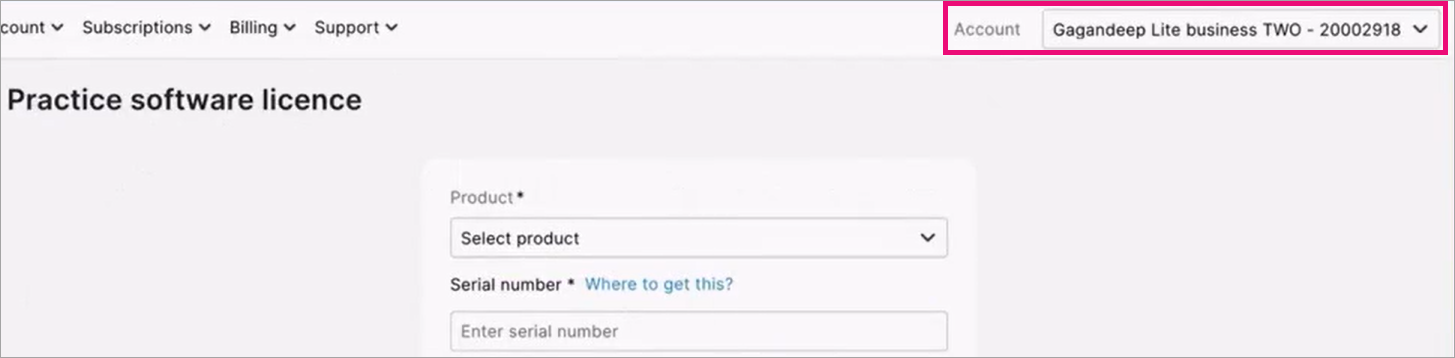
Leave open the Register MYOB Products window, log in to My Account at myaccount.myob.com/account and make sure the correct account is selected on the top right. You may first be prompted to sign in using your MYOB account email address and password.
-
Select the Subscriptions menu and choose Practice software licence.
-
Select the Product and enter your copied serial number into the Serial number field. If you don't see the Product you're looking for, make sure the correct account is displayed in the Account field on the top-right of the page.
-
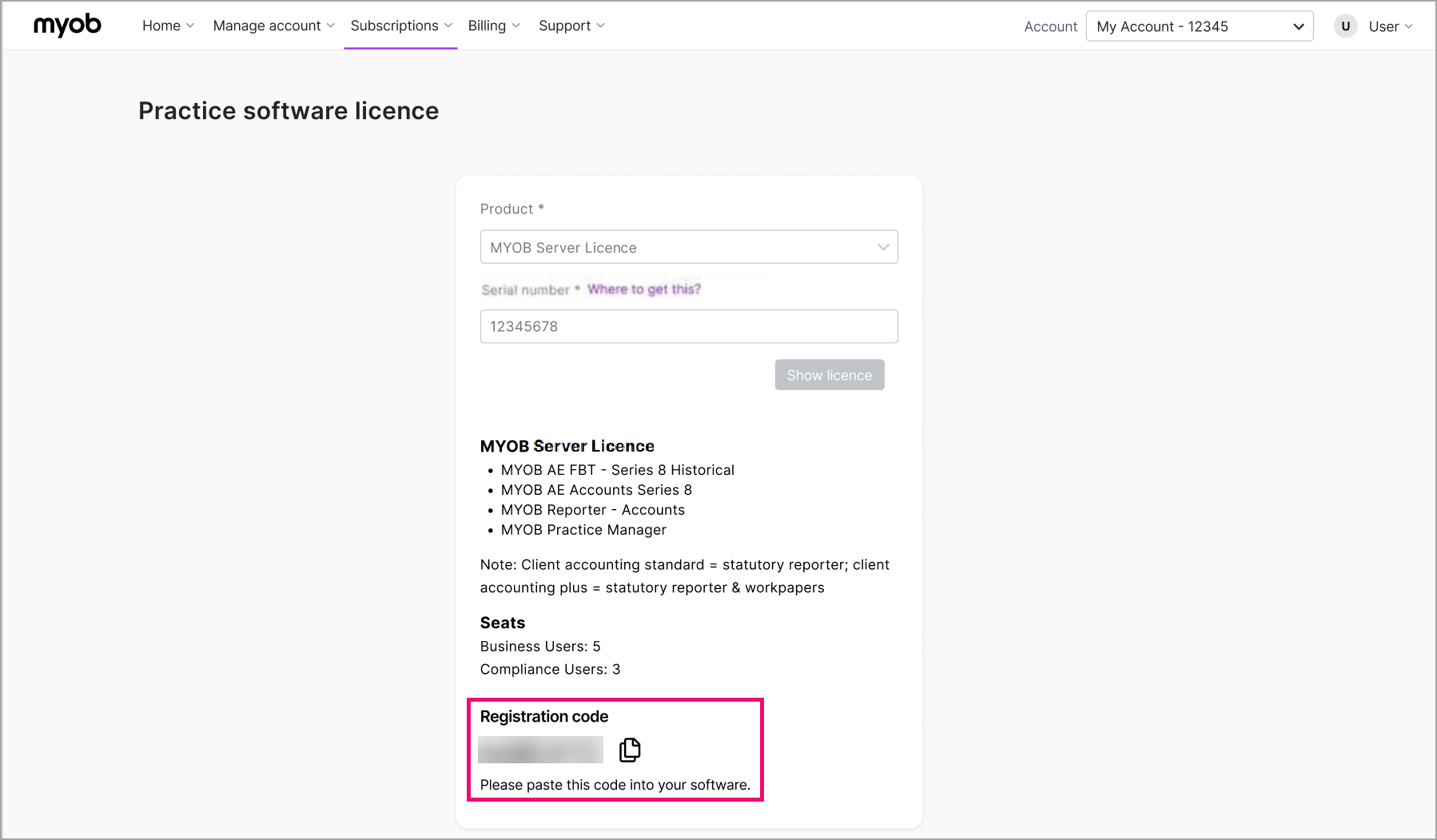
Click Show licence. Your licence registration code appears at the bottom of the page.
-
Copy the Registration code.
-
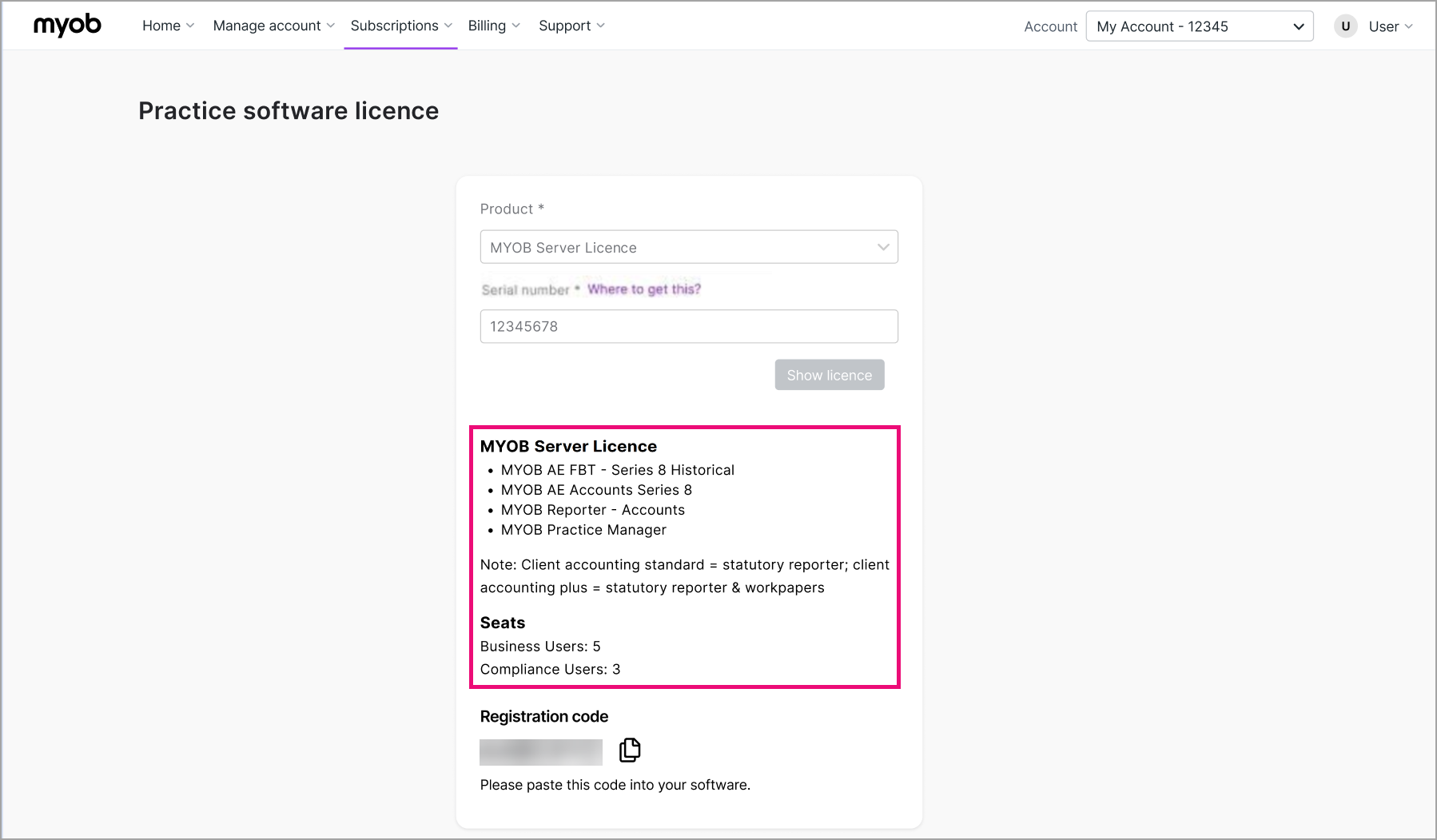
Take note of the products and number of users in the MYOB server licence section. These will need to match the Register MYOB Products window for the registration to succeed in the following steps.
4. Use the licence registration code to register your product
-
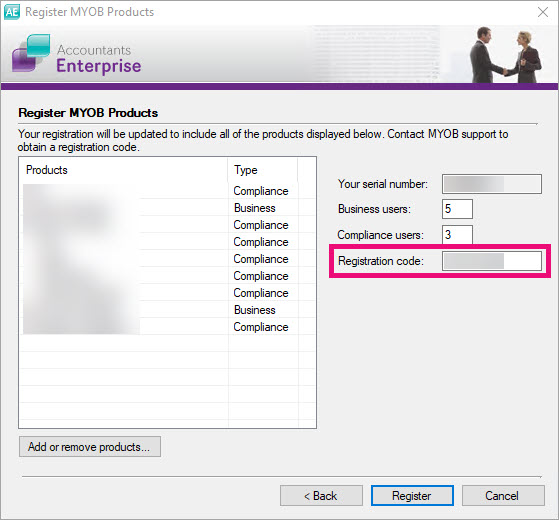
Go back to the Register MYOB Products window and paste the copied registration code into the Registration Code field.
-
Confirm that the products and numbers in the users fields match the products and numbers that you noted in the Practice software licence page.
Registration will fail if the number of users doesn’t match the number of users in the Registration program. Registration will also fail if you've selected products that don't appear in the MYOB server license section.
If needed, go back and change the number of users and change your product selection in the Registration program to get a new serial number.
-
Click Register.